
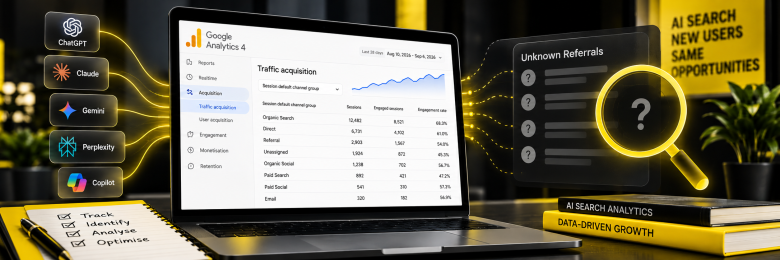
Measuring AI search traffic in GA4 became easier in May 2026, when Google introduced a native AI Assistant channel that automatically identifies recognised chatbot referrals. But it does not tell the whole story. Some AI-driven visits still end up in Direct traffic or ordinary Organic Search. Here is what GA4 can show you, what it still misses, and how to fill those gaps.
Why AI Search Traffic Often Goes Missing in GA4
AI search traffic can disappear from your reports for two main reasons. Some visits arrive without referrer data, while others fall outside the definition Google uses for its new AI Assistant channel.
Referrers That Never Arrive
Some AI apps strip referrer information or simply do not send it when someone clicks a cited link. When that happens, GA4 has no source to work with and can classify the visit as Direct. An unexplained rise in Direct traffic can therefore be an early sign that AI referrals are being missed.
Google AI Overviews Hide Inside Organic Search
Google’s own documentation for the AI Assistant channel states it excludes AI Overviews and AI Mode entirely. Clicks from Google’s own generative results are folded into standard Organic Search, with no built-in way to separate them from a normal blue-link click.
What GA4’s Native AI Assistant Channel Actually Tracks
Since 13 May 2026, GA4 automatically assigns the medium “ai-assistant” and the channel “AI Assistant” to sessions from recognised chatbot referrers, with no setup required. Google names ChatGPT, Gemini and Claude as examples.
The limitations worth knowing:
- Google has not published the full list of recognised referrers.
- Perplexity does not appear in Google’s own AI Assistant definition, so its traffic may still land in Referral.
- The channel is not retroactive; historical AI sessions stay filed under their old classification.
How to Track the AI Search Traffic GA4’s Native Channel Still Misses
The most reliable approach is to use the native channel alongside a supplementary custom channel group that covers a wider range of AI domains.
The steps that matter:
- In GA4, go to Admin, Data Display, Channel Groups, and create a custom channel group.
- Add a channel matching Session source against a regex covering chatgpt.com, perplexity.ai, claude.ai, gemini.google.com, copilot.microsoft.com and similar domains.
- Position this new channel above Referral in the rule order, since GA4 evaluates rules top to bottom.
- Periodically check Session source/medium inside your Referral report for AI domains not yet caught by either channel.
Why Measuring AI Search Traffic in GA4 Matters
Early benchmark data suggests that AI-referred sessions convert at a noticeably higher rate than average organic traffic. That makes accurate tracking important if you want to understand whether your content and GEO investment is actually generating results.
Get Clear AI Traffic Reporting with Haarty Hanks
Knowing what GA4 captures automatically and what it leaves out takes more than switching on the new channel. Our AI SEO Optimisation service builds the reporting layer needed to catch the traffic that would otherwise be missed. Get in touch to get your AI traffic reporting sorted.
FAQs
How do I measure AI search traffic in GA4?
Check the native AI Assistant channel under Reports, Acquisition, Traffic Acquisition for recognised sources such as ChatGPT and Gemini, then build a supplementary custom channel group with a broader regex to catch AI domains, such as Perplexity, that Google’s native list may not cover.
Why does my ChatGPT traffic show up as Direct in Google Analytics?
Many AI assistants do not pass referrer data when a user clicks a link, so GA4 has no source to attribute the session to and defaults it to Direct, which is why unexplained spikes in Direct traffic are often a sign of AI referrals.
Does GA4 track Google AI Overviews traffic separately?
No. Google’s own documentation confirms the AI Assistant channel excludes AI Overviews and AI Mode, so clicks from those features are counted within standard Organic Search with no way to isolate them.
Is GA4’s AI Assistant channel retroactive?
No. It only applies from when the feature reached your property in 2026 onward, so historical AI traffic remains under its original classification, such as Referral or Direct.
Do I need a custom channel group if GA4 already has an AI Assistant channel?
Yes, if you want complete coverage. Google has not published its full list of recognised referrers, and known gaps such as Perplexity mean a custom channel group is still the safest way to capture AI traffic in full.
How do I track Perplexity referrals specifically in GA4?
Create a custom channel group with a Session source rule matching perplexity.ai, positioned above your Referral rule, since Perplexity does not currently appear in Google’s official AI Assistant channel definition.