
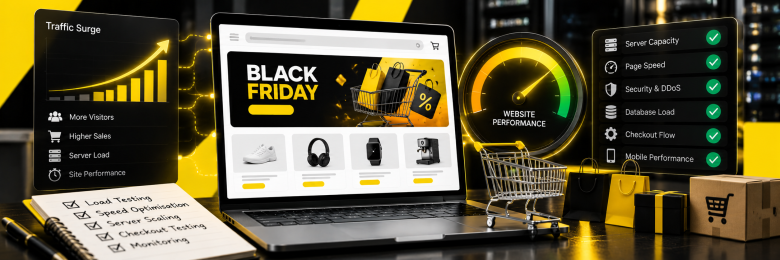
Website stress testing means deliberately pushing your site beyond its expected traffic to find the point where it slows or fails, so you can fix it before customers find it. Black Friday falls on 27 November 2026, which leaves about seven weeks. Here is how to prepare your website for Black Friday, step by step.
What Is Website Stress Testing?
Website stress testing puts your site under heavier traffic than it would normally receive. The aim is to find its limits and identify weaknesses before they affect customers. It is one of several ways to assess website performance.
Load Testing vs Stress Testing vs Spike Testing
Each test answers a different question, as Grafana’s k6 documentation explains:
- Load test: Checks how the site performs under expected traffic levels.
- Stress test: Pushes traffic beyond expected levels to see where performance starts to break down.
- Spike test: Simulates a sudden surge, such as a flash sale email sending large numbers of visitors to your site.
- Soak test: Keeps traffic running over several hours to check whether performance deteriorates over time.
Why Stress Test Before Black Friday?
Problems that go unnoticed on a normal trading day can quickly become expensive when traffic peaks. With more customers browsing and buying at once, slow pages or failed checkouts can cost you sales just when demand is highest.
PwC estimated UK Black Friday spending at £6.4 billion in 2025. If your website struggles to cope, you risk:
- Abandoned baskets and wasted ad spend.
- Slower crawling, since Googlebot reduces its crawl rate when it meets significant 5xx or 429 errors.
- Late discovery of bottlenecks in checkout, databases or payment steps.
How to Stress Test Your Website for Black Friday
Start with a staging environment that closely mirrors your live website. Increase the simulated traffic in stages and monitor response times, errors and resource usage throughout each test. This is what practical e-commerce site Black Friday preparation looks like.
- Set a traffic target using last year’s peak figures, with an additional margin to account for higher demand.
- Tell your hosting provider, CDN provider and payment providers about your plans. Never load-test third-party services without their permission.
- Script real journeys: search, product page, basket and checkout, not just the homepage.
- Start with a smoke test, then run load, stress and spike tests, as k6 advises running stress tests only after average-load tests.
- Monitor response times, error rates, server resources and database usage. These figures can show where performance starts to deteriorate.
- Fix the biggest bottleneck first, then repeat the tests to check whether the changes have worked.
How to Prevent a Crash on the Day
Testing gives you a clearer idea of what needs attention before Black Friday arrives. In its guidance on denial of service attacks, the NCSC recommends designing services to scale for surges in use and to degrade gracefully. In practice, this means:
- Caching suitable pages, such as category and product pages, through a CDN to reduce the load on your servers.
- Adding capacity or enabling autoscaling, where your hosting supports it, before the sale begins.
- Optimising large images and resource-heavy scripts to improve page speed.
- Freezing code changes before Black Week to reduce the risk of introducing new problems.
- Setting up alerts for slow pages, rising error rates and other signs of trouble.
Get Your Site Black Friday Ready with Haarty Hanks
A website that handles peak traffic gives your SEO and advertising efforts a better chance of turning visits into sales. The web development and SEO services teams at Haarty Hanks can review your site speed, technical health and crawlability before the busiest trading period. Get in touch to identify problems while there is still time to address them.
FAQs
What is website stress testing?
Website stress testing simulates traffic beyond normal levels to find the point where a site slows down or fails. It shows which part breaks first, so you can strengthen it before a major sales event.
What is the difference between load testing and stress testing?
Load testing checks performance under expected traffic, while stress testing pushes beyond that to find the limit. Most teams run load tests first, then stress tests.
When should I start stress testing for Black Friday?
Start as early as possible. Allow time to fix problems and retest, ideally finishing before Black Week begins around 23 November, when many retailers launch deals.
Can I stress test my live website?
It is safer to test a staging copy, because live testing can cause outages or trigger security tools. Warn your host first, and never test third-party services without permission.
How do I stop my website crashing during a traffic spike?
Use CDN caching, add capacity or autoscaling, optimise heavy pages, monitor in real time and prepare a response plan. Website crash prevention is easier when problems are found and fixed in advance.